1
2
3
STEP 1
Connect/Configure MT5
Estimated time: 2 minutes
This step installs the automation bridge between TradingView and MT5 so your trades can execute automatically.
1
Download MT5. Download MT5 from your broker's website or metatrader5.com.
2
Log into your account. Log into your broker account in MT5 or create a demo account which doesn't require a broker signup.
3
Download the Pinetrader Expert Advisor (EA).
4
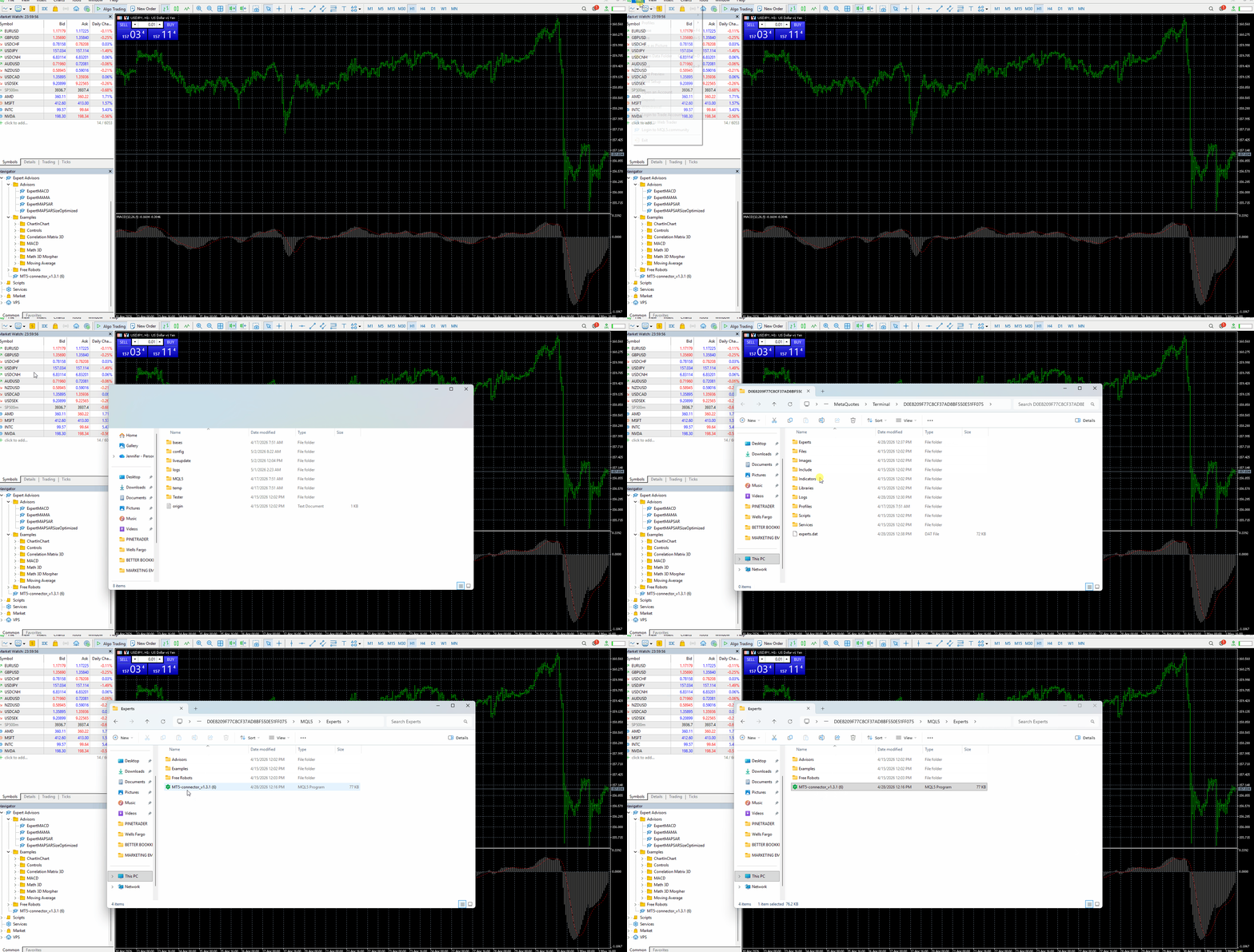
Install the Expert Advisor in MT5. In MT5, go to File → Open Data Folder → MQL5 → Experts → paste Pinetrader EA file (MT5-connector_v1.3.1).
5
Enable Web Requests. MT5 needs permission to send data to Pinetrader.
Go to Tools → Options → Expert Advisors → select the following:
✅ Allow algorithmic trading
✅ All DLL imports (potentially dangerous, enable only for trusted applications)
✅ Allow WebRequest for listed URL:
https://pinetrader.io and https://mqtt.pinetrader.io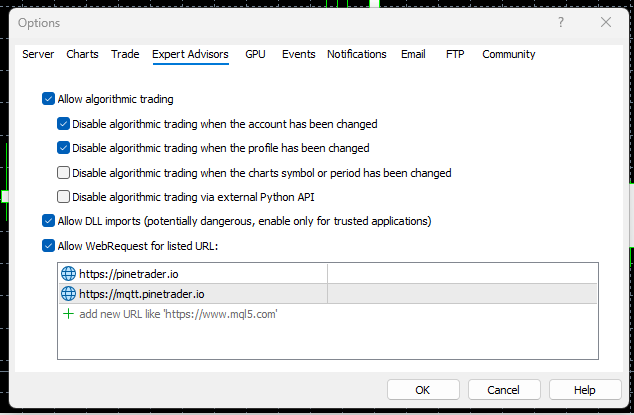
6
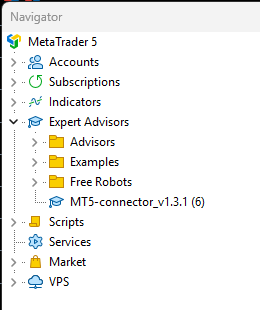
Add the EA to Your Chart. There are multiple ways to add an EA to a chart. Pick any of the following:
Drag & Drop (most common). Open Navigator Panel → Expand Expert Advisors → Click and drag the EA onto an open chart.
Double-Click the EA. In Navigator → Expert Advisors → Double-click the EA → MT5 will attach it to the currently selected chart.
Right-Click the EA. In Navigator → Right-click the EA → select "Attach to Chart".
7
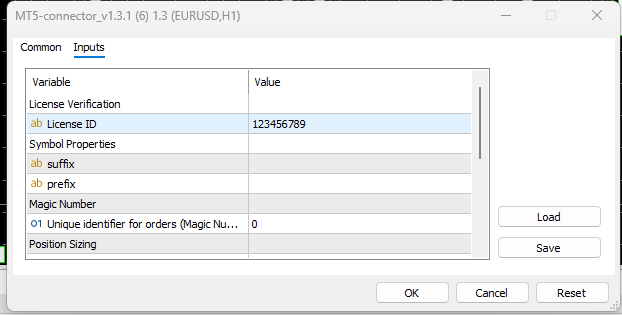
Enter your License ID. After attaching the EA, the settings window will appear automatically. Navigate to the Inputs tab → locate the field labeled License ID → enter your License ID listed under the Licenses tab → click OK to save.
Step 1 of 3